See the session clearly.
Bring target and shot information together to better understand each string of fire.

01 / PS² RANGE COACH OVERVIEW
Progress starts with understanding what happened—and what to work on next.
PS² Range Coach is an iPhone application with Apple Watch integration, built to connect training sessions with meaningful performance feedback. It brings target analysis, shot timing, motion data, and training history into one experience, with support for live-fire sessions and a dedicated dry-fire drill library.
Bring target and shot information together to better understand each string of fire.
Explore timing and movement alongside accuracy to build a fuller picture of performance.
Use structured training and session history to focus your next practice and follow your progress.
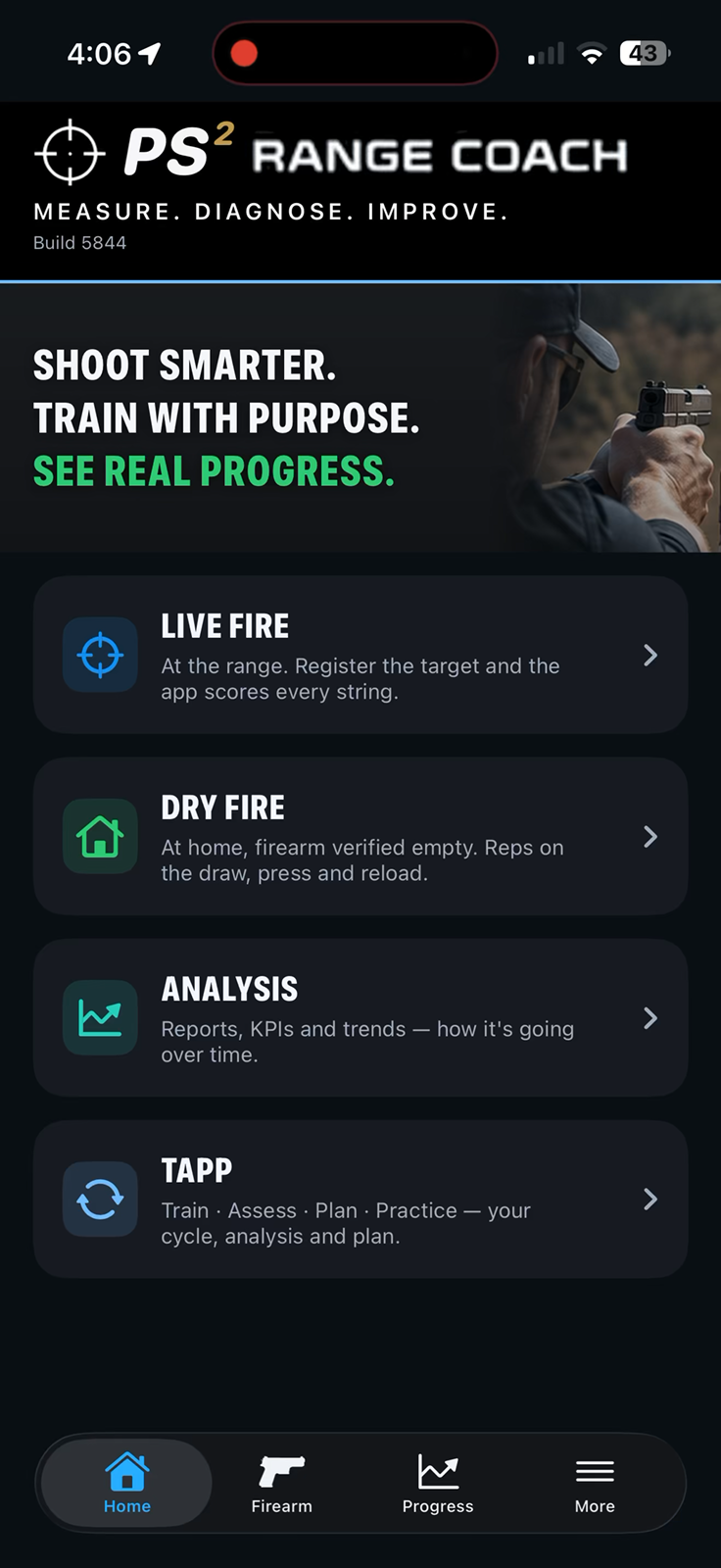
ONE CONNECTED EXPERIENCE
A clearer picture of your practice, from your iPhone to your Apple Watch.
The home screen brings Live Fire, Dry Fire, Analysis, and TAPP together in one place.
THE TARGET LIBRARY
Scan a target with your camera to search the library, or browse the visual previews to find it yourself. Open a match to review its dimensions and description.
Using a new target? Teach it to PS² Range Coach and save it in your library for future sessions. Review its dimensions and details, then register it with TargetLock or RingLock.

SCAN TO FIND YOUR TARGET
Photograph your target and review the suggested library match. Confirm it to continue, or retake the photo or choose from the list when needed.
Swipe to see the next clip.
Capture the full target clearly in the camera view.
Check the suggested target, then choose “Use it.” Retake the photo or choose from the list if needed.
Use the selected target in your session, then register it with TargetLock or RingLock.
Target identification asks you to review the match before using it.
Swipe to see the next clip.
TARGETLOCK
Compare registration on two targets. The Big Shooter Tutor clip is a short confirmation excerpt.
SEE RINGLOCK IN ACTION
Watch the ghost overlay settle onto the circular target and the app confirm registration.
This short demonstration shows the ghost aligning with the lower-right circle and the green Registered confirmation, with no visible manual tuning.
App footage with button styling updated for presentation. Registration confidence shown is specific to this demonstration.
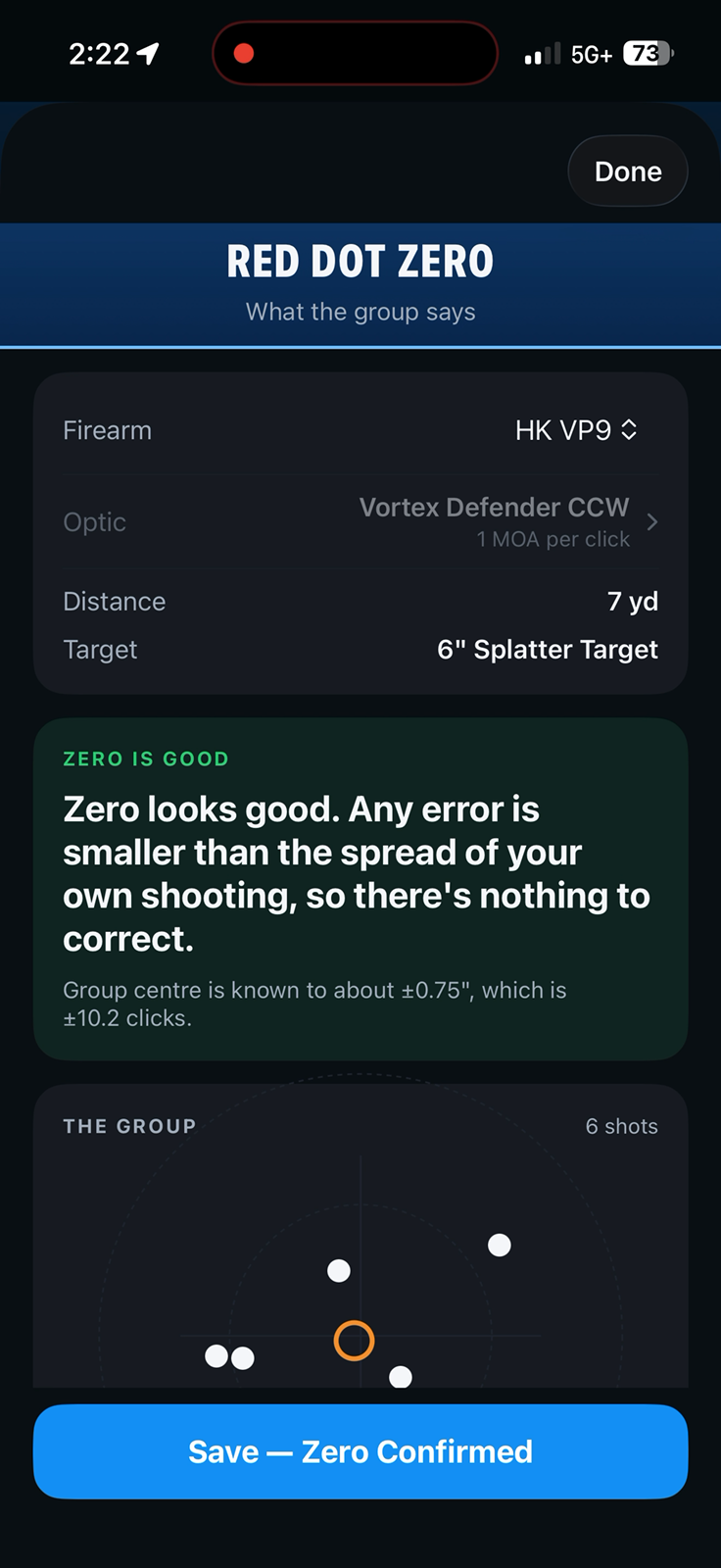
CHECK YOUR SETUP / RED DOT ZERO
Bring your optic, target, distance, and shot group together in one zero assessment.
Review the result and save your confirmed zero before moving into your training session.
SHOT TIMERS & SESSION INTEGRATION
Use the built-in shot timer or connect a compatible Bluetooth shot timer.
THE TECHNOLOGY BEHIND THE PICTURE
PS² Range Coach brings three technologies together to give your session more context.
Locates and registers the target in the camera view, helping align the physical target with its digital representation. This provides a reference for reviewing recorded hits.
Compares captured target images to identify new hits and reconstruct their sequence, helping you review how a shot group developed.
Uses Apple Watch motion data alongside shot timing to add context about movement during supported sessions. Review movement patterns together with target results.
Available analysis depends on the session, supported devices, and the quality of the captured data.
SCORING & SHOT REPLAY
Review hit markers on your target alongside scoring and group measurements, then replay the session one shot at a time.
Hit markers connect the target picture with accuracy, group size, and point-of-aim results.
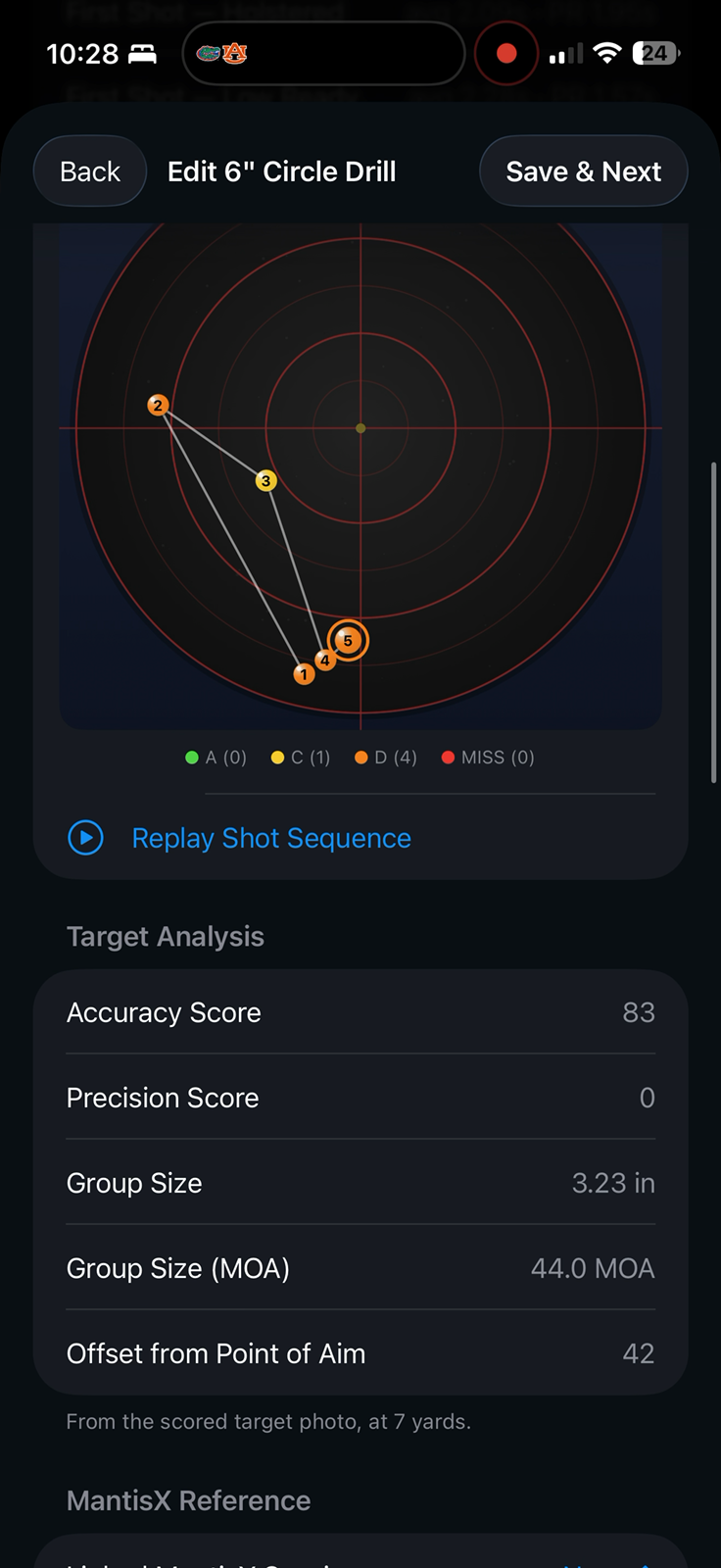
See recorded hits across the target’s bullseyes and review the scoring summary.
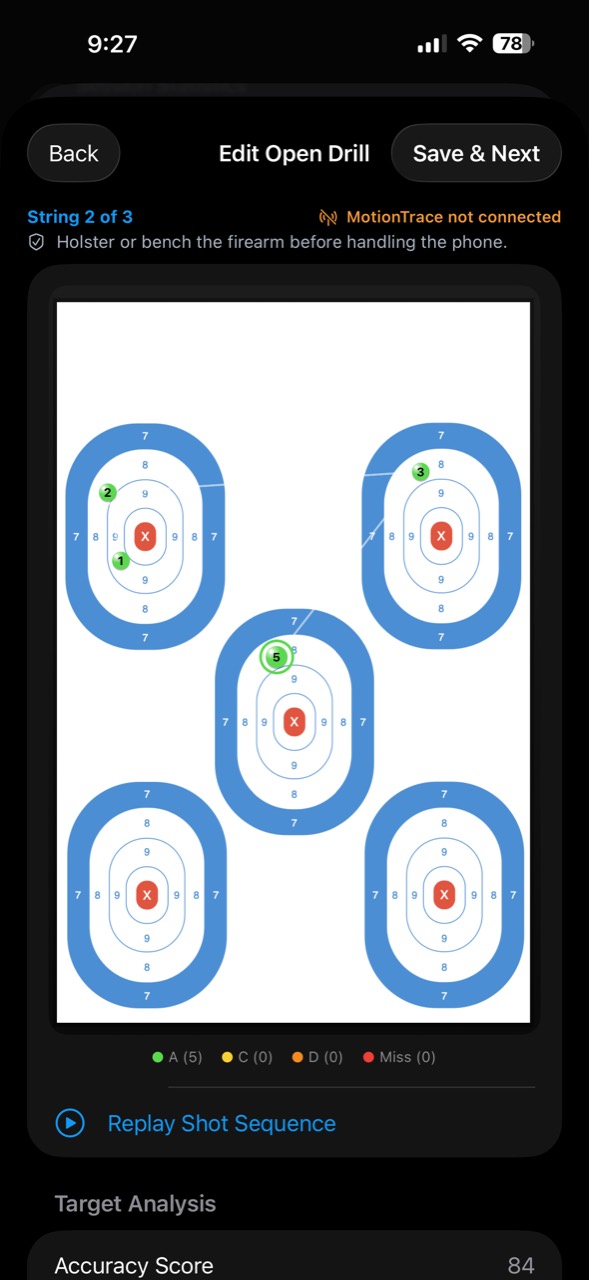
Play the replay to see five hits appear in order, with a running shot count and playback controls.
YOUR SESSION RESULTS
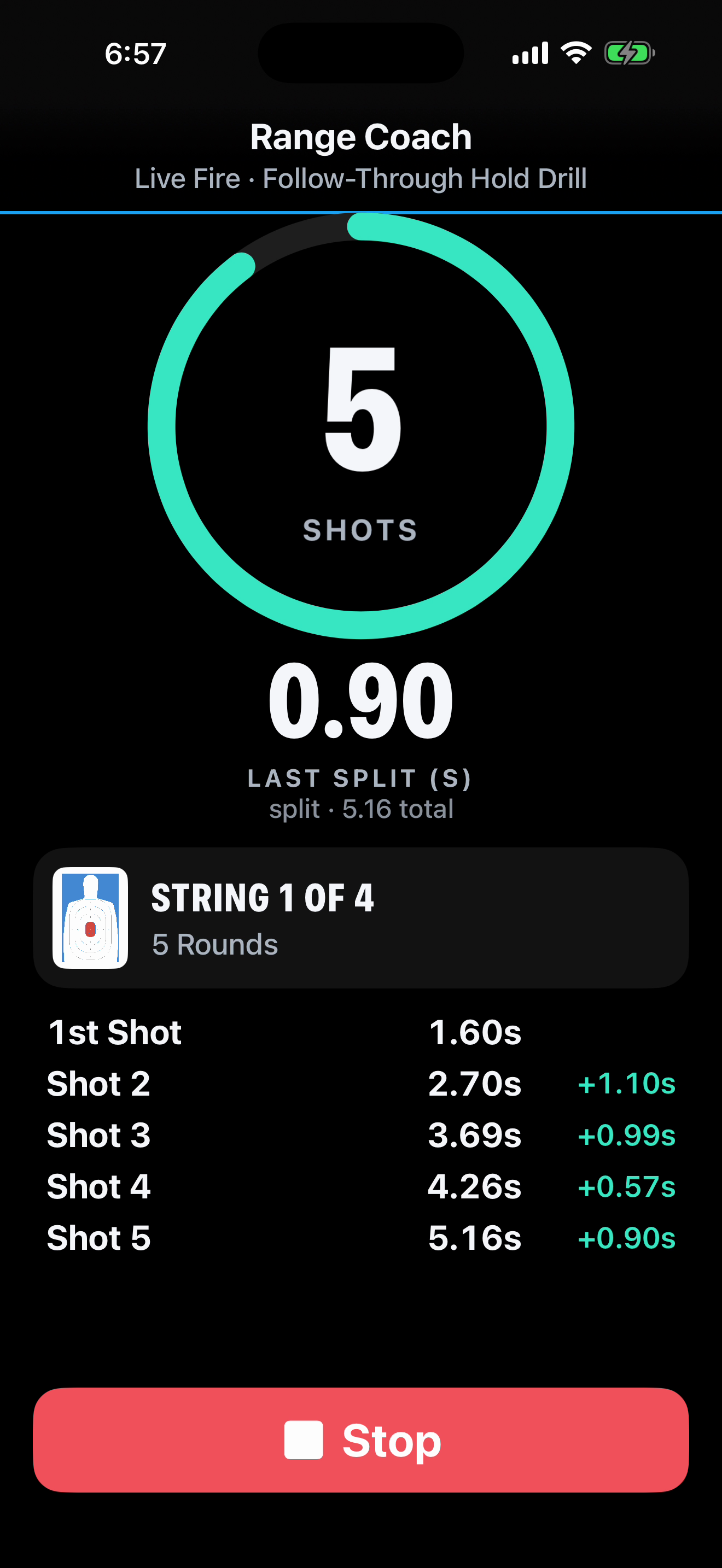
See your completed drill alongside the shot count, splits, and individual shot times.
A completed drill with its recorded session summary.

The updated timer view brings the shot count, last split, and individual shot times together.
YOUR NEXT STEP
Use assessment findings to guide your next session. TAPP connects training, assessment, planning, and dry-fire practice in one repeatable process.
Build practice around your priorities